


Best anatomy apps for students and healthcare professionals
Last updated: February 2026
Disclosure: GetBodySmart is operated by the team behind Kenhub. While Kenhub is featured in this list, we’ve evaluated every app on the same criteria and included tools we genuinely believe are useful for anatomy learners, regardless of who makes them.
Whether you’re a first-year medical student tackling the brachial plexus or a physiotherapy professional brushing up on clinical anatomy, the right app can make a real difference in how quickly and deeply you learn.
We spent weeks testing the most popular anatomy apps across iOS, Android, and web. Our goal was to find the ones that actually help you learn and retain anatomical knowledge, not just spin a 3D model around. Below are our picks for the best anatomy apps, organized by what each one does best.
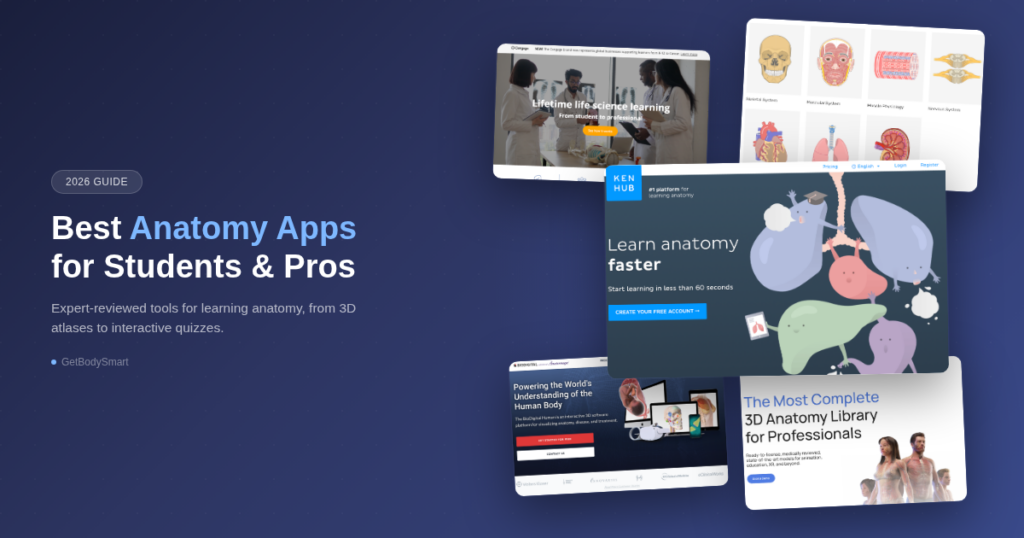
Quick Comparison
| App | Best For | Platform | Price |
|---|---|---|---|
| Kenhub | Overall anatomy learning | Web (mobile-friendly) | Free basic plan/ Free trial / Premium |
| GetBodySmart | Free anatomy & physiology resource | Web (mobile-friendly) | Free |
| SciePro | 3D anatomy library | Web | Licensing options |
| Visible Body | 3D anatomy atlas | Web, AR | Premium and licensing options |
| BioDigital Human | Clinical & pathology visualization | Web and mobile apps | Mobile apps (with limited functionality), licensing options |
| UMich Blue Link | University open-access tool | Web | Free |
| Anatomy.app | Simple, web-based all-in-one platform | Web (mobile-friendly) | Free basic plan/ Free trial / Premium |
1. Kenhub: best overall anatomy learning app
Editor’s Pick
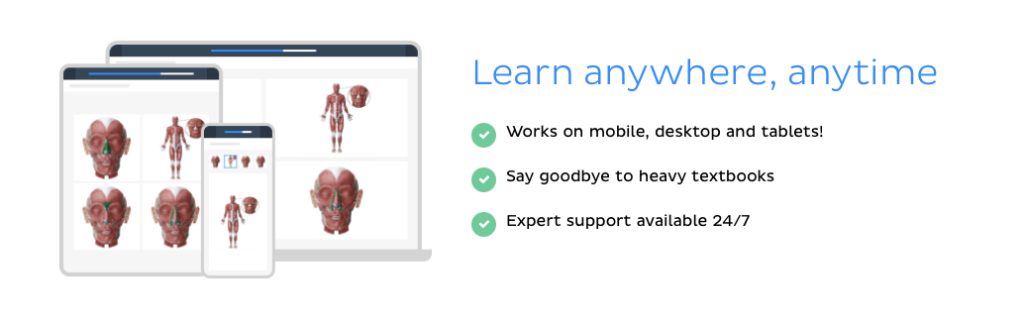
If you want to actually learn anatomy and not just look at it, Kenhub is the app to beat. Most anatomy apps focus on 3D models alone. Kenhub combines an atlas, video tutorials, articles, and a powerful quiz engine built on spaced repetition into one platform.
What sets Kenhub apart is its structured, curriculum-aligned approach. Content is organized by body region and system, written and reviewed by medical professionals, and designed to take you from “I’ve never seen this structure” to “I can identify it in a cadaver” as efficiently as possible. The adaptive quizzes track what you know and what you don’t, then serve you exactly the questions you need at the right time.
For medical, nursing, physiotherapy, and other health science students, this learning-first approach makes a noticeable difference at exam time. Kenhub replaces your anatomy textbook, flashcards, and atlas with one integrated tool.
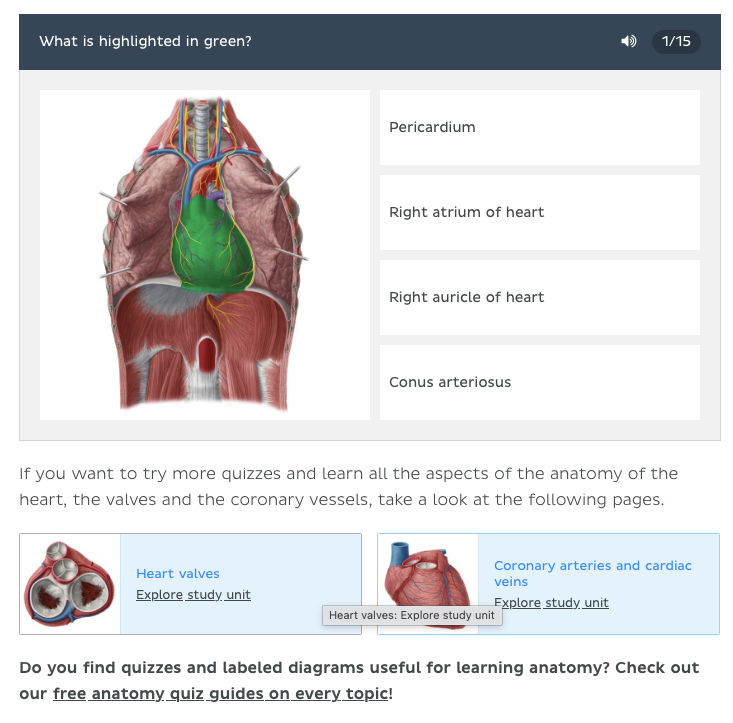
Key Features
- Video tutorials covering every major anatomical region
- Spaced-repetition quiz engine that adapts to your knowledge gaps
- In-depth articles written and reviewed by anatomy experts
- Progress tracking dashboard to monitor your study performance
- Comprehensive anatomical atlas with detailed, labeled illustrations
- Available on web, iOS, and Android with cross-device sync
Pros
- Complete learning platform, not just an atlas
- Spaced repetition proven to improve long-term retention
- Content reviewed by medical professionals
- Cross-platform with progress sync
- Free basic account (with access to all articles and the atlas) and free trial available
Cons
- Full access requires a subscription
- Lack of 3D interactive models
Pricing: Free basic account with access to all articles and the atlas. Free trial with access to everything. Premium plans with significant discounts on Lifetime plans. Institutional licenses available.
Best for: Medical, nursing, and health science students who need to learn and retain anatomy for exams and clinical practice.
2. GetBodySmart: best free anatomy & physiology resource
Best Free Option
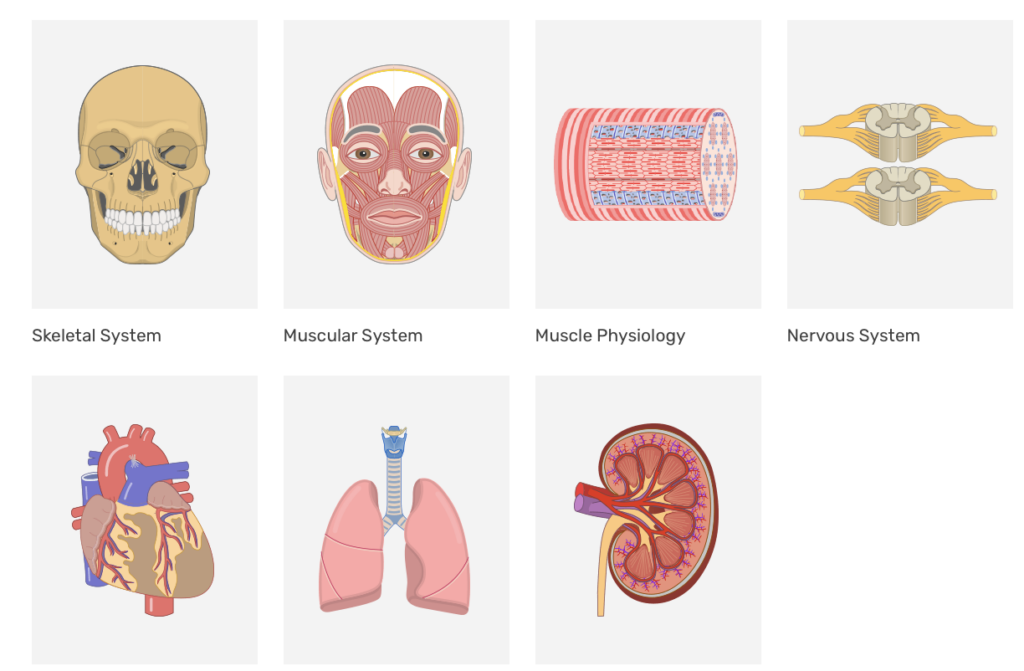
GetBodySmart has been a go-to free resource for anatomy and physiology students for years. The site offers simple, interactive articles covering the major body systems, making complex physiological processes easier to visualize and understand.
What makes GetBodySmart stand out among free options is its focus on both anatomy and physiology. Many apps concentrate on structural anatomy alone. GetBodySmart walks you through how body systems actually function, from muscle contractions to the cardiac cycle. The interactive articles are especially helpful for visual learners who struggle with static textbook diagrams.
As a free, web-based resource, it’s a solid starting point for students who want to build foundational knowledge before investing in a more comprehensive learning platform like Kenhub.
Key Features
- Simple, interactive articles for all major body systems
- Covers both anatomy and physiology
- Completely free, no account required
- Web-based, works on any device with a browser
- Simple, distraction-free interface
Pros
- 100% free with no paywalls
- Excellent interactive physiology articles
- No signup or download required
Cons
- No 3D models
- Limited depth compared to premium platforms
- Web-only, no dedicated mobile app
Pricing: Free.
Best for: Students looking for a free, visual introduction to anatomy and physiology fundamentals.
3. SciePro: best 3D anatomy model library

SciePro is a German company (SciePro GmbH) that has spent over a decade building one of the largest libraries of 3D anatomical models available. Their team of medical experts and 3D artists has produced 3,600+ named structures covering male and female anatomy, body type and ethnic variants, pregnancy and fetal anatomy, juvenile anatomy, and pathological conditions. All models are reviewed by a medical advisory board. Their 3D model of the heart is considered the gold-standard across many different clinicians and educators.
Beyond their licensing business, SciePro runs a YouTube channel with over 2.1 million subscribers and also has 8.5 million followers across platforms. Their content has earned them a TITAN Health Award.
Key Features
- High-quality 3D anatomical models
- Layer-by-layer exploration (skeletal, muscular, cardiovascular, etc.)
- Detailed labels and descriptions for each structure
- Available licenses for professionals.
Pros
- Best 3D heart model
- Accurate, detailed 3D models
- Many licensing options for professionals
Cons
- Primarily a viewer, no quizzes or structured learning
- Only available for professionals.
Pricing: Many different licensing options
Best for: Professionals who want a high-quality 3D anatomy reference.
4. Visible Body: best 3D anatomy atlas

Visible Body is one of the most established names in 3D anatomy. They offer two main products: Visible Body Courseware for students using it as part of a university course, and Visible Body Suite for independent learners studying on their own. The Suite includes fully dissectible human and animal models, bite-sized anatomy and physiology lessons with animations, and 3D flashcards with practice quizzes. It works on both laptop and phone. For students enrolled in courses, the Courseware version integrates with university LMS platforms and includes assignments set by instructors.
Key Features
- Thousands of 3D anatomical structures
- Physiology animations and A&P lessons
- AR mode for viewing models in real space
- Courseware version with LMS integration for university courses
- Annotation and sharing tools for study groups
Pros
- Detailed 3D models
- Widely used in university settings
- AR features add an engaging layer
Cons
- Courseware requires institutional access
- Can feel overwhelming without guided learning paths
- Suite is a separate purchase for self-study students
Pricing: Visible Body Suite for individual learners (one-time or annual purchase). Courseware access typically through your university.
Best for: Students in anatomy & physiology courses whose university already provides Courseware access.
5. BioDigital Human: best for clinical & pathology visualization
BioDigital Human takes a different approach by combining anatomy with health conditions and pathology. The platform lets you explore how diseases, procedures, and injuries affect anatomical structures, making it particularly useful for clinical students and healthcare professionals. The platform includes a Human Studio for creating guided anatomy journeys, a Quiz Builder with 200+ out-of-the-box quizzes (plus tools to build your own), and a treatments library covering prostheses, pharmacological interactions, and more.
BioDigital works across web, mobile apps (iOS and Android), and virtual reality (Meta Quest 2, 3, Pro). BioDigital’s library of interactive 3D health conditions is what differentiates it from pure anatomy atlases.
Key Features
- 1,000+ interactive 3D anatomy models
- 1,000+ health conditions and treatment visualizations
- Web, iOS, Android, and VR (Meta Quest) support
- Quiz Builder with 200+ ready-made quizzes
Pros
- Unique clinical and pathology focus
- Built-in quiz tools, not just a viewer
- Cross-platform including VR
Cons
- More geared toward institutions than individual students
- The platform’s breadth can feel overwhelming
- Limited pure anatomy (flashcard-based quizzes)
Pricing: Licensing options for Universities. Mobile apps available for free with limited functionality
Best for: Universities and institutions who want to visualize pathology alongside anatomy.
6. University of Michigan Blue Link: best university open-access resource
Free University Resource
The University of Michigan Blue Link project is a free, open-access anatomy atlas built around real cadaver dissection images. Developed by the University of Michigan Medical School, it provides labeled photographs from actual dissections alongside cross-sectional images.
Blue Link is particularly valuable for students preparing for cadaver lab practicals. The real-specimen photography gives it an authenticity that 3D models can’t fully replicate. It’s a niche tool, best used as a supplement to a broader learning platform, but an excellent free one.
Key Features
- Real cadaver dissection photographs
- Quiz PDF pages
- Free and open-access
- Created by University of Michigan Medical School faculty
Pros
- Real cadaver images and videos, essential for lab prep
- Completely free, no login needed
- University-backed credibility
Cons
- Limited to dissection images and videos, no 3D or interactive features
- Not a standalone learning tool
- Dated interface
Pricing: Free.
Best for: Medical students preparing for cadaver dissection labs who want real-specimen reference material.
7. Anatomy.app: Best Web-Based Anatomy Tool
Anatomy.app offers 3D anatomy models you can explore by topic (head and neck, upper extremity, lower extremity, thorax, abdomen, spine and back, pelvis, and more), quizzes at four difficulty levels from beginner to expert, and an encyclopedia with articles and images. Free (unregistered) users get access to the first 3 models and articles of any topic, plus beginner-level quizzes. Premium unlocks all 3D models, all articles, all quiz difficulties, encyclopedia media (images + 3D models), bookmarks, shareable content, a personal notepad, and progress tracking.
Anatomy.app also works with universities and offers educational pricing alongside individual plans. The interface is clean and modern, and it runs on any device with a browser.
Key Features
- Full 3D anatomy models in the browser
- Quizzes with four difficulty levels (beginner to expert)
- Clean, modern interface
- 3-day free trial for Premium
Pros
- Full learning platform with quizzes and encyclopedia, not just a viewer
- Modern, responsive design
- Free version available
Cons
- Free tier limited to first 3 models/articles per topic and beginner quizzes only
- Web-only, no dedicated mobile apps
- Smaller content library than more established competitors
Pricing: Free tier. Premium plans for full access.
Best for: Students who want a quick, browser-based anatomy tool without installing anything.
How We Evaluated These Anatomy Apps
We assessed each app across five criteria that matter most for anatomy learning:
- Learning effectiveness: Does the app help you actually retain anatomical knowledge, or just browse it? Apps with quizzes, spaced repetition, and structured study paths scored higher.
- Content accuracy and depth: Is the content medically accurate and comprehensive enough for university-level study? We looked at expert review processes and depth of coverage.
- Usability: How intuitive is the interface? Can you find what you need quickly without a learning curve?
- Platform availability: Does it work on your device? Cross-platform apps with syncing scored higher than single-platform tools.
- Value for money: What do you get for free, and is the premium version worth the cost?
Frequently Asked Questions
What is the best app to learn anatomy?
For comprehensive anatomy learning, Kenhub is the best option. It combines an anatomical atlas, video tutorials, expert-written articles, and a spaced-repetition quiz engine into one platform. Unlike pure 3D atlas apps, Kenhub is designed specifically to help you learn and retain anatomical knowledge for exams and clinical practice.
Is there a free app for anatomy?
Yes. GetBodySmart is a completely free anatomy and physiology resource with animated tutorials. BioDigital Human also offers a free tier. For a comprehensive learning experience, Kenhub offers a free trial that includes access to its quiz engine and select content.
Which anatomy app is best for medical students?
It depends on what stage you’re at and how you study. For structured learning with spaced-repetition quizzes and curriculum-aligned content, Kenhub is a strong option. For 3D visualization and virtual dissection, Visible Body is widely used in medical schools. BioDigital Human is worth considering if you want to connect anatomy to clinical conditions and pathology. Most medical students end up using a combination of tools rather than relying on a single app.
What is the best website to learn anatomy?
There’s no single best website since it depends on your learning style and budget. Kenhub offers a comprehensive platform with video tutorials, quizzes, and articles. GetBodySmart provides free animated anatomy and physiology tutorials. Anatomy.app delivers 3D models with quizzes directly in the browser. For cadaver-based study, the University of Michigan’s Blue Link project offers free dissection images and practice practicals. Try a few and see which approach clicks for you.
The Bottom Line
The best anatomy app depends on how you learn and what you need. For structured study with quizzes and spaced repetition, Kenhub is built for that. For 3D visualization, Visible Body, SciePro, and Anatomy.app each take a different approach. For clinical and pathology context, BioDigital Human stands alone. And if budget is a constraint, GetBodySmart and Blue Link are both free and genuinely useful. Most serious anatomy students end up using two or three tools together: a learning platform for active study and an atlas for visual reference.